
Contents
You finally picked an AI assistant. Then a competitor shipped something newer, your feed filled with benchmark charts, and now you are quietly wondering whether you backed the wrong one.
You almost certainly did not. For everyday work the gap between the current flagship assistants is far smaller than the gap between someone who asks well and someone who does not. This guide gives you a way to choose that survives the next release, and a five-minute routine so you never have to think about it again until it matters.
Quick answer
Choose on four things: what you can actually access, what job you do most, what data you are willing to paste, and what you are willing to pay. Then stay with it for a few months. Re-check twice a year, not every launch. The habit of verifying answers matters more than the badge on the model.
Is this you?
Paying for one already and wondering if you should switch every time a rival launches.
Still on free tiers, using three at once, not committed to any.
Choosing for a small team, where the wrong pick costs everyone’s time, not just yours.
Why chasing model names is the wrong game
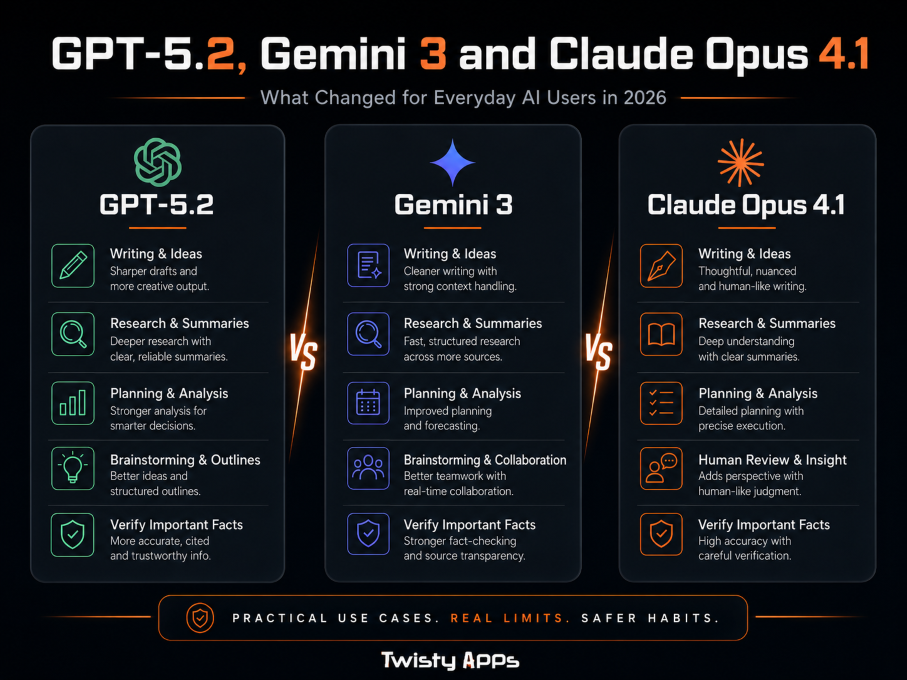
Here is the thing nobody selling you an AI course will say: in 2026 alone, all three major vendors shipped multiple upgrades to their flagship lines. Any article that pins its advice to one version number is wrong within months, and so is any decision you make that way.
Pick a way of choosing, not a model. The way of choosing still works next year.
The practical consequence: stop optimising for “best” and start optimising for “good enough, that I will actually stay with long enough to get good at”. Switching costs you the muscle memory, the saved prompts, and the sense of when it is lying to you. That is worth more than a few benchmark points.
The four questions that actually decide it
Work through these in order. The first one eliminates most of the field before you have read a single review.
1. Access
What can you sign into today?
2. The job
What do you do most?
3. Your data
What will you paste?
4. Cost
Free tier, or worth paying?
Access first. If your employer or school already provides one, use it. A slightly weaker assistant you can legitimately use beats a stronger one you cannot put work data into. This single question settles it for most people.
Then the job. Be honest about what you actually do all week, not what you imagine doing. Someone who writes emails all day and someone who reviews code have genuinely different needs.
Then your data. Decide what you will never paste before you are in a hurry. Then read the provider’s own privacy and data-training policy, not a summary of it. Is my data safe with AI tools? walks through exactly what to look for.
Cost last. Every major assistant has a usable free tier. Start there, and only pay once you hit a limit that is genuinely blocking you. Verify current pricing on the provider’s own page, because it changes and any number in an article ages badly.
Match the assistant to the job you actually do
Which should you pick?
You live in Google Docs, Gmail and Search: the assistant built into that ecosystem removes the most friction, because the work is already there.
You do long-form writing, editing or document review: favour whichever assistant you find handles long inputs and careful revision best, and test it on one of your own real documents before deciding.
You want one general assistant for a bit of everything: any current flagship will do this well. Pick on access and price, and stop researching.
You are choosing for a team: the deciding factors are admin controls, data handling and billing, not benchmark scores.
Tip: run one real task from your actual week through two assistants before committing. Fifteen minutes of your own testing beats any comparison table, including the one below.
The current flagships, checked in August 2026
This is the only part of this guide with version numbers in it, and it is deliberately quarantined here so the rest stays true when the next model ships. Treat it as a snapshot, not a verdict, and open the official pages before relying on anything.
| Vendor | Current flagship line | Where to check for yourself |
|---|---|---|
| OpenAI | GPT-5.5 | Official announcement |
| Gemini 3.5 | Official announcement | |
| Anthropic | Claude Opus 5 | Official announcement |
Note: vendors also ship smaller, faster and cheaper models alongside the flagship, and the model you get on a free tier is often not the flagship. Check the provider’s own model and pricing pages for what your account actually reaches.
What genuinely changed for everyday users
Strip away the version numbers and three shifts matter, and they have held across several generations of releases now.
From single answers to whole tasks
You can hand over a multi-step job (research, outline, draft, checklist, revision) instead of asking one question at a time. This is the change that actually saves hours.
More than text
Screenshots, documents, images and charts are now normal input. Useful for an error message or a PDF, but it raises the stakes: you now also have to check it read the thing correctly.
Longer memory within a task
You can give more source material and longer instructions and get consistency across a whole piece of work rather than paragraph by paragraph.
What has not changed: none of it removes the need for you to check anything that matters. That is the part every upgrade cycle leaves exactly where it was.
What to verify before you trust any answer
This section is version-proof, because confident wrongness is not a bug that gets patched out. Any assistant can produce a fluent, well-formatted, completely incorrect answer.
Always check
Dates, prices, laws, health and money claims, product features, software versions, anything with a number in it.
Never assume
That a link it produced says what it claims. Open it. Sometimes the page does not exist, or says the opposite.
The rule that covers most cases: if the answer could affect money, safety, reputation, or a customer relationship, verify it from a primary source before you use it.
For the full process, read how to check AI answers before you trust them, or run an answer through the AI Answer Verification Checklist.
How to keep up without chasing every release
Twice a year, twenty minutes. That is genuinely all this needs.
The twice-a-year check
✓ Open the three official newsrooms and read the headlines only. Ignore benchmark threads entirely.
✓ Ask one question: has anything changed that affects the job I actually do?
✓ If yes, run your own real task through the alternative for fifteen minutes.
✓ If no, close the tabs. You are done for six months.
Key takeaway: the people getting the most out of AI are not the ones on the newest model. They are the ones who have used one long enough to know exactly when to doubt it.
Frequently asked questions
Should I switch assistants every time a new model launches?
No. For everyday work the difference between current flagship assistants is much smaller than the difference between a well-framed question and a vague one. Switching costs you your saved prompts, your habits, and your sense of when the tool is likely to be wrong, which is the most valuable thing you build. Re-check your choice about twice a year, or immediately if something changes that affects the specific job you do most.
Is the paid tier worth it?
Start free and only upgrade when you hit a limit that is actually blocking real work, rather than upgrading in advance. The usual triggers are running out of messages mid-task, needing longer documents, or needing a capability the free tier does not reach. Check the provider’s own pricing page for what is current, because plans and limits change often and any figure quoted in an article ages quickly.
Which assistant is the most accurate?
There is no stable answer, and any article claiming one is describing a snapshot that has probably already changed. All current assistants can produce confident, fluent, incorrect answers, and none of them reliably tell you when they have. That is why this guide puts the verification habit ahead of the choice of tool: the habit protects you whichever one you use.
Can I just use two or three at once?
You can, and running the same prompt through two is a genuinely useful trick, because where they disagree is a strong signal that the topic needs checking. But using three casually is usually worse than using one properly. Pick a main assistant, get good with it, and keep a second one for comparison rather than splitting your attention three ways.
How do I know if the model I am using is the current one?
Check inside the tool rather than assuming. Free tiers often route you to a smaller and faster model than the flagship named in the announcement, and the default can change without you noticing. The provider’s own model or pricing page will say which models each plan reaches; the announcement blog post will not, because it describes the model rather than your account.
Bottom line
Pick on access, the job you actually do, the data you are willing to share, and price. Stay with it long enough to get good. Verify anything that matters. Check back in six months. That approach was right before the current models shipped and it will still be right after the next ones do, which is more than any comparison table can promise.
Picked one? Now get good with it.
A 30-day plan, 20 minutes a day, that turns a chat box into something you actually use.
Still deciding what to use it for? Best AI tools for beginners covers the by-task picks, AI for small business has the workflow examples, and if writing is the job, see the best free AI writing tools.